In order to configure the GitHub Scanner in CS360 for Cloud Security Scanning and User Threat Monitoring a Personal Access Token needs to be created.
Once you have completed this setup you will have the required authentication details to configure the scanner:
- Organisation name
- Personal Access Token
Step 1 – Allow fine-grained tokens
These steps must be completed by an Owner of the GitHub organisation.
1) Login to https://github.com with an organisation Owner account
2) Open your organisation and click Settings
3) In the left menu, under Third-party Access, click Personal access tokens > Settings
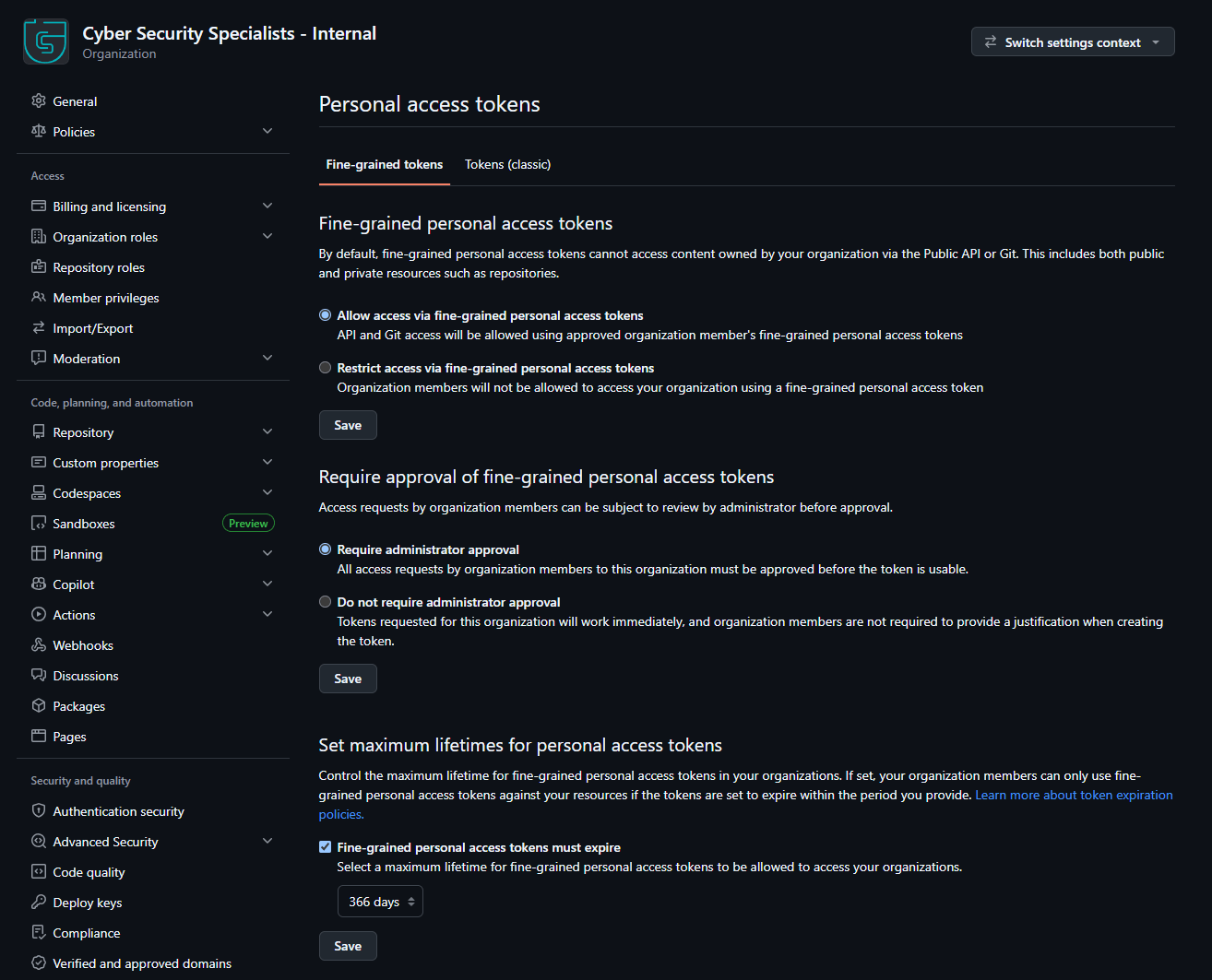
4) Under Fine-grained personal access tokens, make sure Allow access via fine-grained personal access tokens is selected, then click Save
Step 2 – Create the Personal Access Token
1) Click your profile picture in the top right corner and click Settings
2) In the left menu, click Developer settings
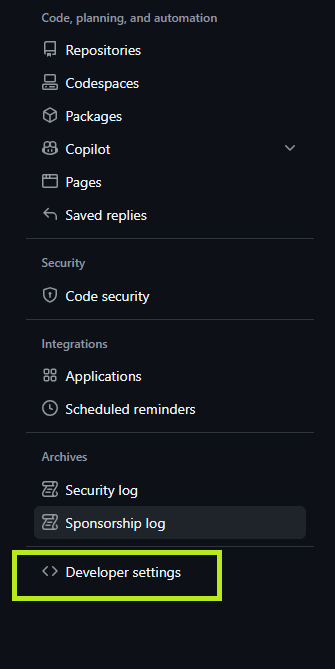
3) Click Personal access tokens > Fine-grained tokens, then click Generate new token

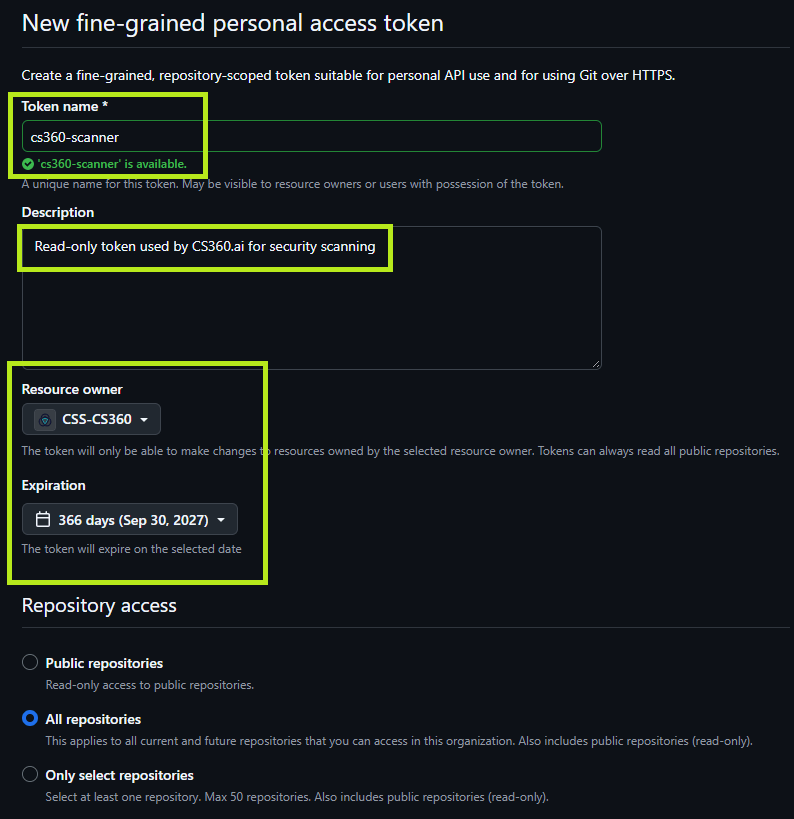
4) Complete the form:
- Token name – cs360-scanner
- Description – Read-only token used by CS360.ai for security scanning
- Resource owner – your organisation, not your personal account
- Expiration – 366 days, or the longest period your organisation allows
5) Under Repository access, select All repositories
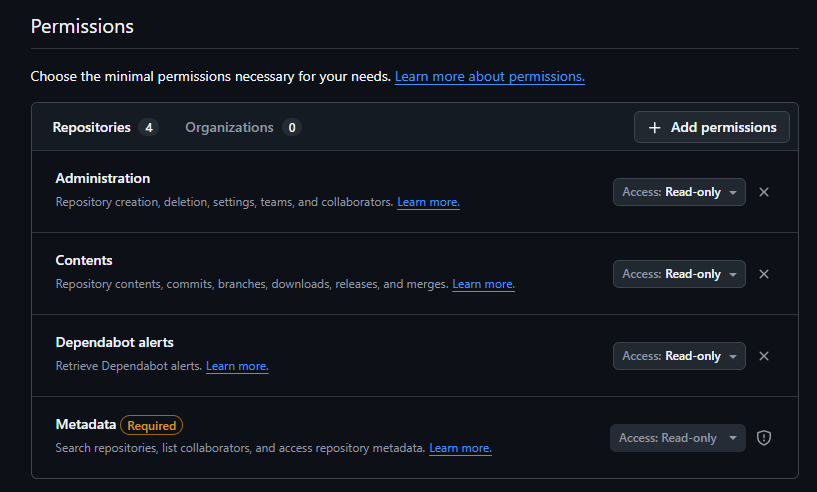
6) Under Permissions, add the following Repository permissions, each set to Read-only:
- Administration – repository and branch protection settings
- Contents – repository files and security policies
- Dependabot alerts – open vulnerability alerts
- Metadata – added automatically
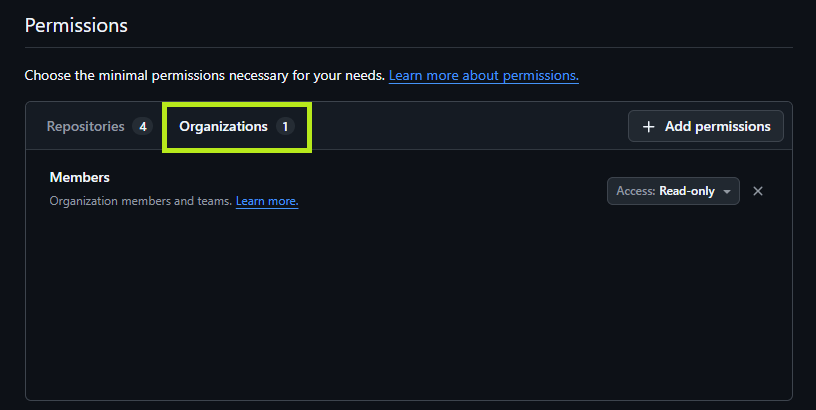
7) Add the following Organization permission, set to Read-only:
- Members – organisation members and their MFA status
8) Click Generate token
9) Copy the token and save it securely (You will need this for CS360.ai). GitHub will only show it once
10) Take note of your Organisation name. This is the name in your organisation’s URL, for example my-org from https://github.com/my-org. Enter the name only, not the full URL
Do not grant any Read and write permissions. CS360.ai only reads your settings and never makes changes.
The token must be created by an organisation Owner. GitHub only shows Owners which members have two-factor authentication disabled, so a token from any other member will not report MFA gaps.
If your organisation requires approval for fine-grained tokens, the token will show as pending. An Owner can approve it under organisation Settings > Personal access tokens > Pending requests.
Scans stop when the token expires. Set a reminder to create a replacement before the expiry date.
That’s it!
You should now have the required authentication details to configure the scanner:
- Organisation name
- Personal Access Token