In order to receive CS360 alerts and notifications in Microsoft Teams, a Workflow (Power Automate) webhook needs to be created that posts into the target chat.
Once you have completed this setup you will have the required details for the integration:
- Workflow URL (HTTP POST URL)
- Target Chat
The legacy Office 365 Connectors “Incoming Webhook” method has been retired by Microsoft. Power Automate Workflows are the supported replacement. Use the steps below for all new integrations.
Prerequisites
- A Microsoft 365 account with a Power Automate licence (a Microsoft 365 licence is sufficient)
- The group chat that CS360 notifications should be posted into (create it in Teams first if required)
- The Power Automate Microsoft Teams connector must be permitted by your tenant DLP policy
Creating the Workflow webhook
1) Browse to https://make.powerautomate.com and sign in with your Microsoft 365 account
2) Confirm the correct Environment is selected (top right), then click Create in the left-hand menu
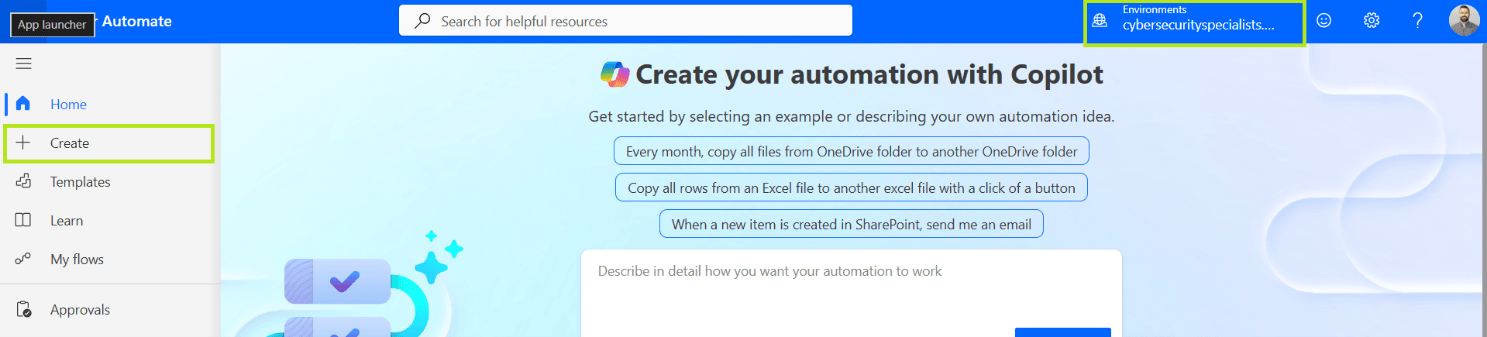
3) Select Instant cloud flow
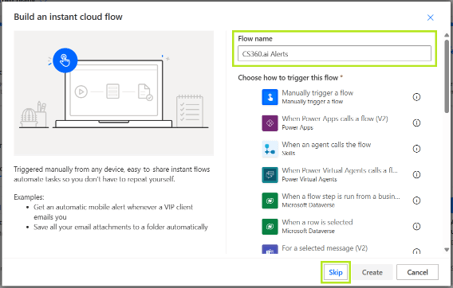
4) Enter a Flow name such as CS360.ai Alerts, then click Skip to choose the trigger manually
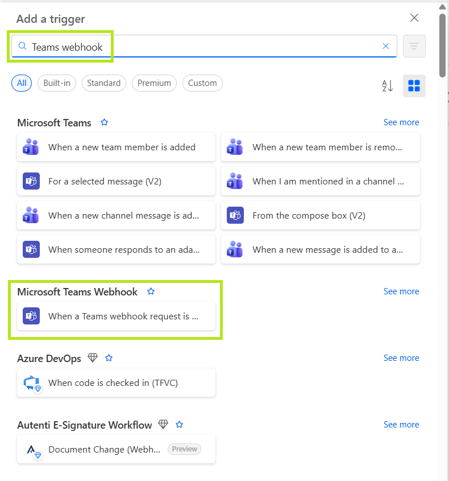
5) Search the trigger list for Teams webhook and select When a Teams webhook request is received
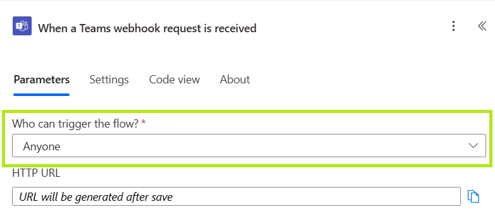
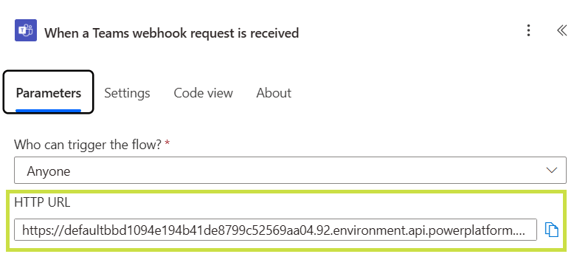
6) Set Who can trigger the flow? to Anyone so CS360 can post without an OAuth token
7) Click New step / + and add the Microsoft Teams action Post card in a chat or channel
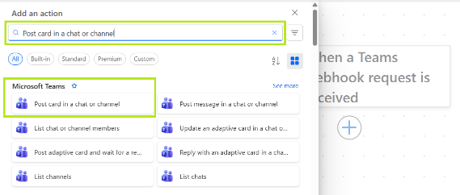
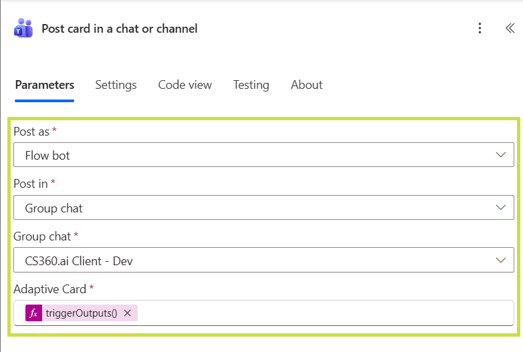
8) Configure the action as follows:
- Post as – Flow bot
- Post in – Group chat (or Chat with Flow bot to notify a single user)
- Group chat – select the chat CS360 should post into
- Adaptive Card – switch the field to expression view and enter:
@{triggerOutputs()?[‘body/attachments’][0][‘content’]}
9) Click Save in the top bar
10) Re-open the trigger When a Teams webhook request is received and copy the HTTP POST URL (you will need this for CS360.ai)
That’s it!
You should now have the required authentication details to configure the Teams Integration:
- Workflow URL (HTTP POST URL)
- Target Chat